Flow Trades
One Flow. One trades workflow.
Enquiry to follow-up, in one run: the customer, the job, the site visit, the quote, the approval, the schedule, the team, the work, the evidence, the invoice. Motion works through it to prepare the admin and keep the job moving.
Different trade businesses. Same operating system.
The work moves. The information moves with it.
One operating flow, not a dozen systems bolted together. Nothing is retyped at a hand-off, because there is no hand-off — the job carries what it has collected all the way to the invoice and the follow-up after it. This is the Flow Trades workflow, and it is the same one whatever the trade.
- 01EnquiryA request arrives, with the customer's own photosMotionCaptures it, structures it against the right customer, and prepares the next step.
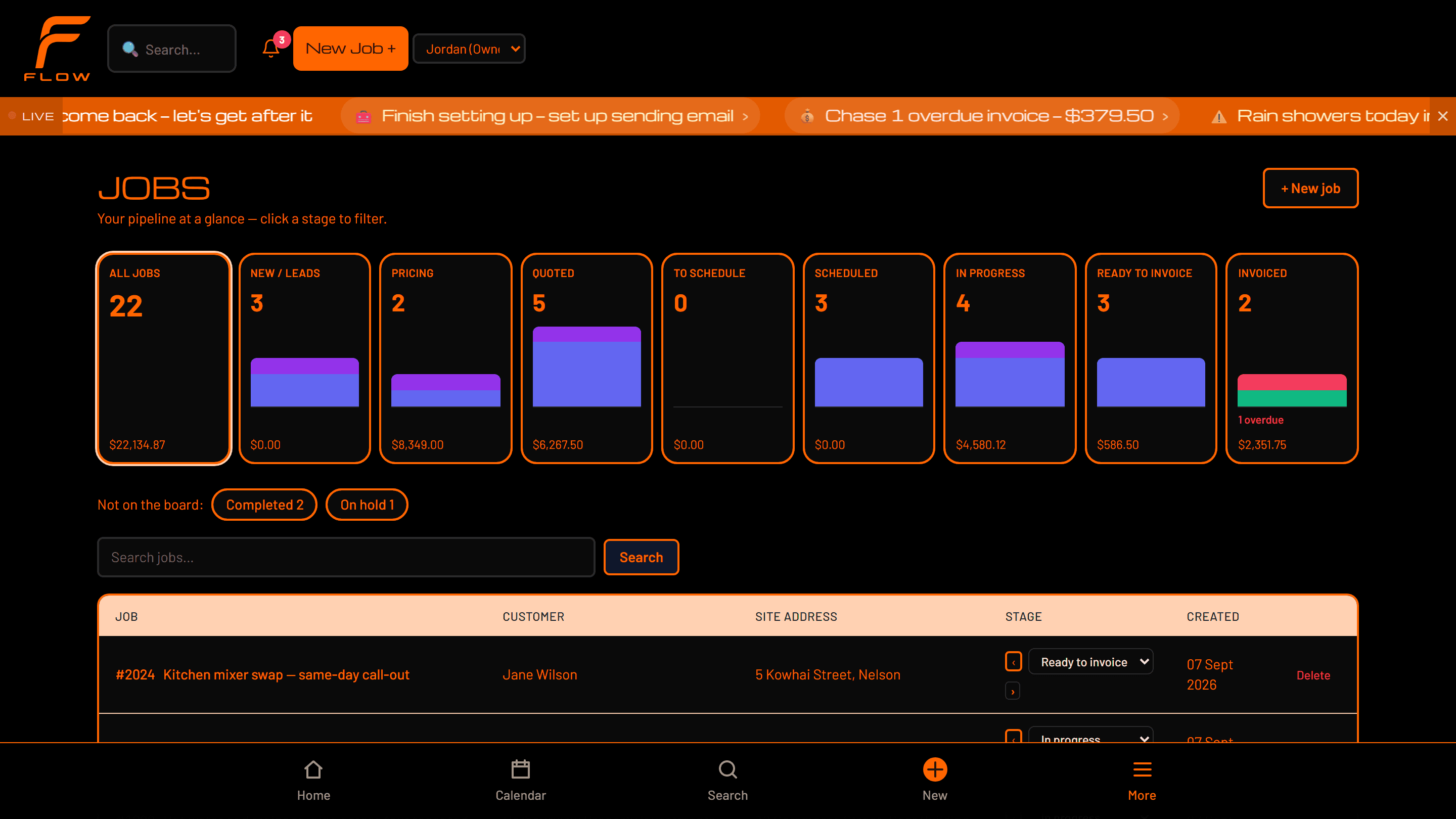
- 02CustomerRecorded once, with their history attached
- 03JobThe work itself, and everything that attaches to it
- 04Site visitWhat was found on site, captured on siteMotionVoice capture and transcription, photos read for what is in them, the job's context held around it.
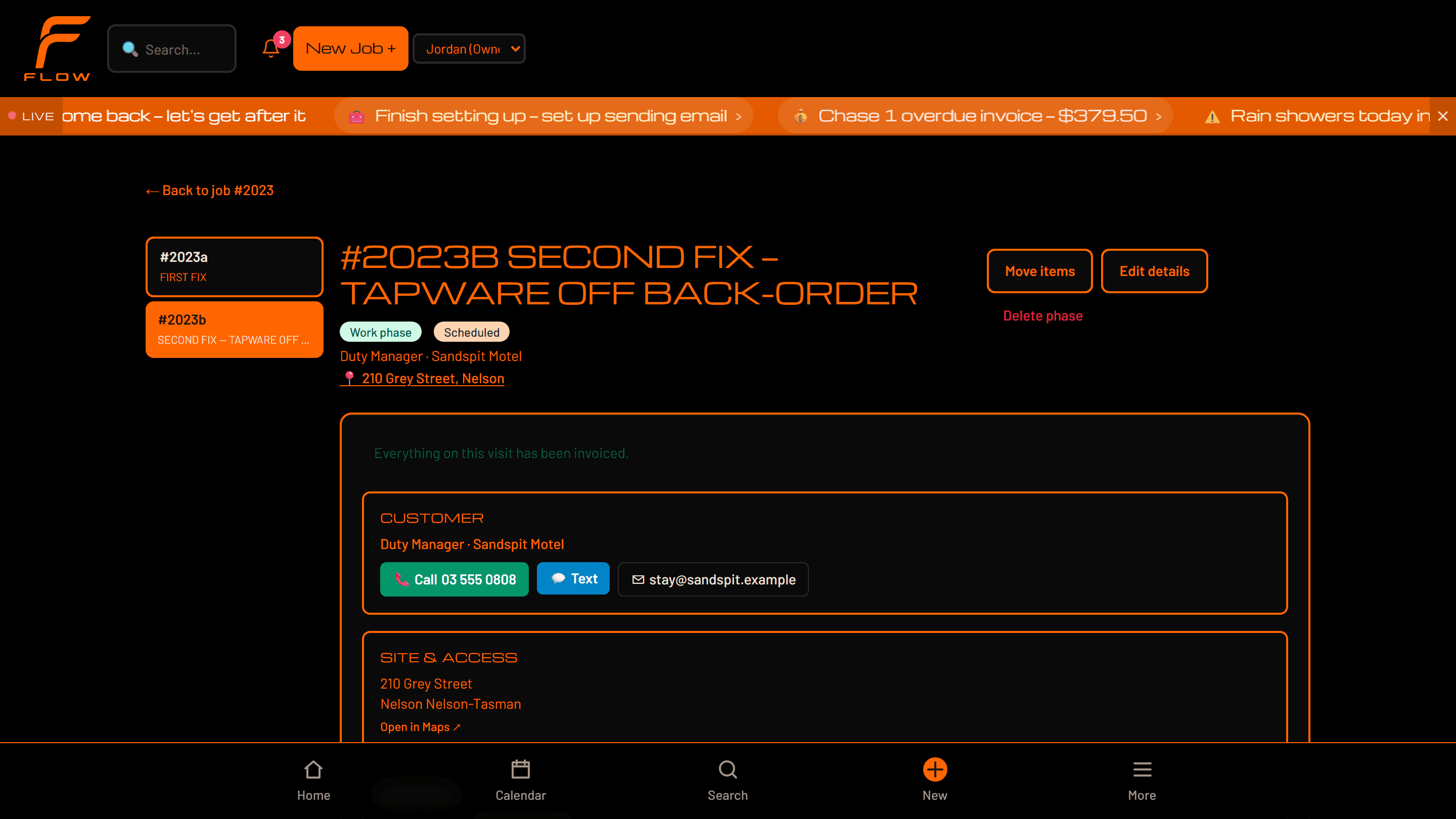
- 05QuotePriced against your own rates and materialsMotionUses the approved job and site information to prepare the quote content for review.
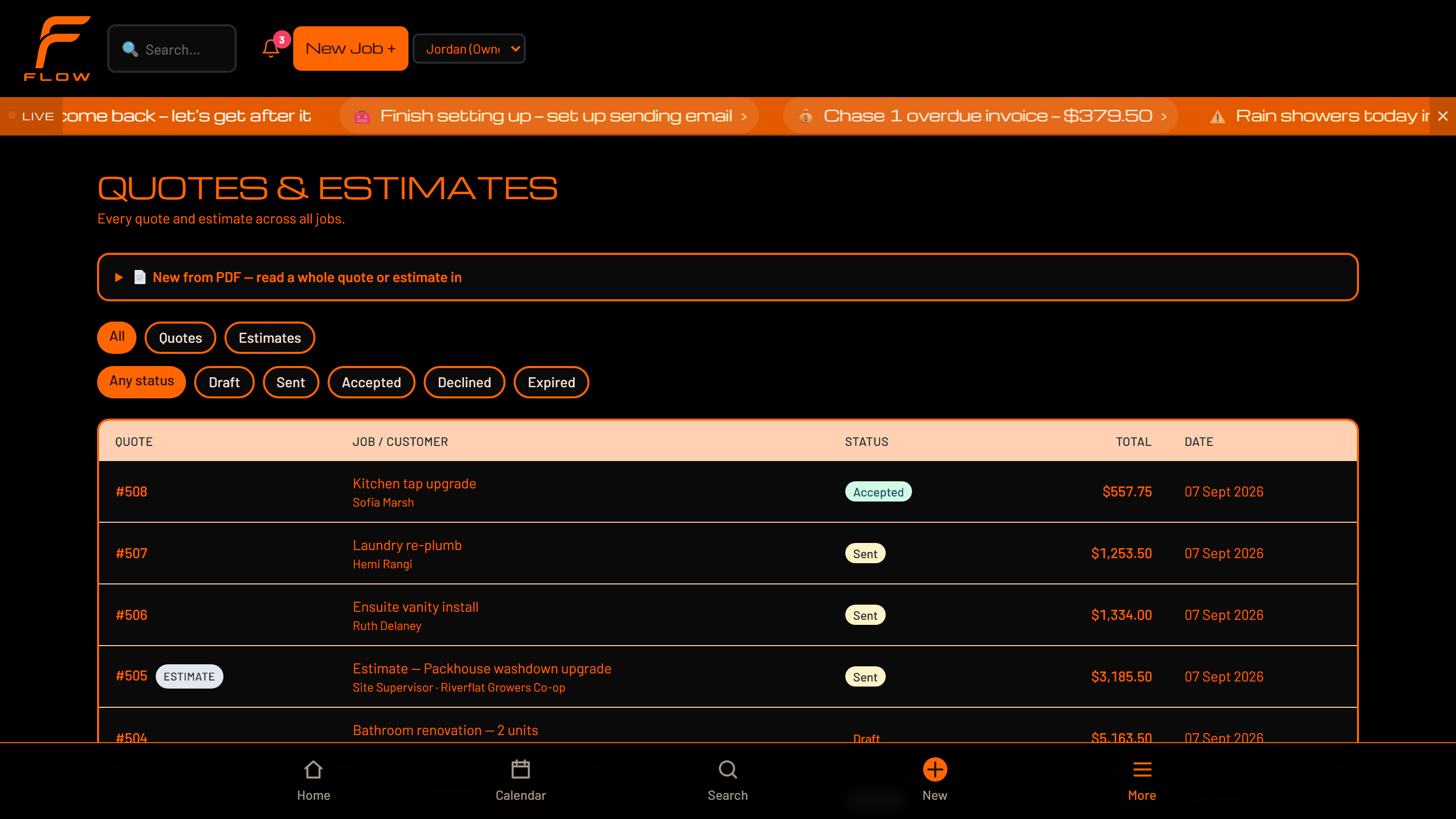
- 06ApprovalThe customer says yes — or goes quiet
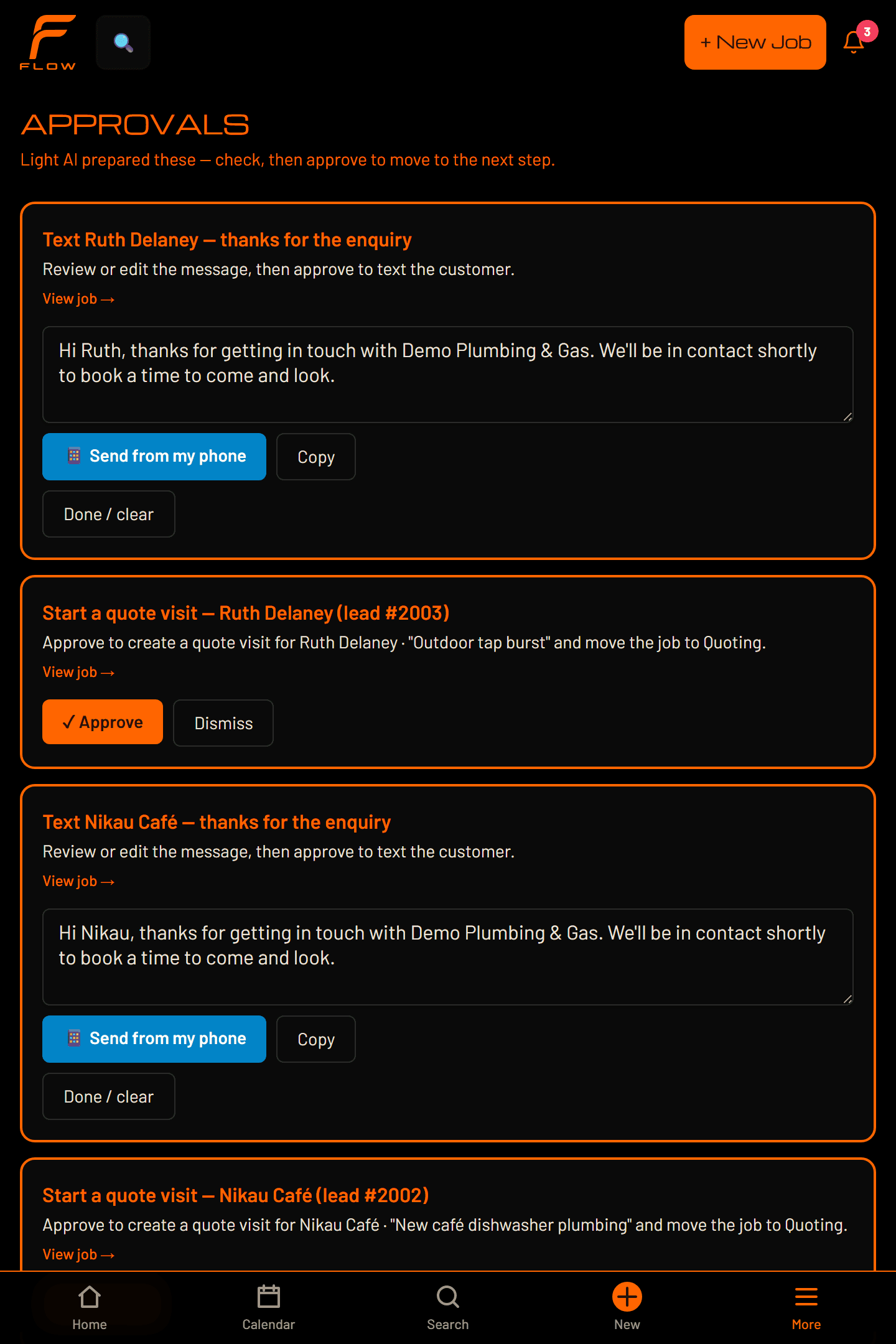
- 07SchedulingFitted to the week you actually haveMotionWatches workflow status and operating context, and prepares the next actions around it.
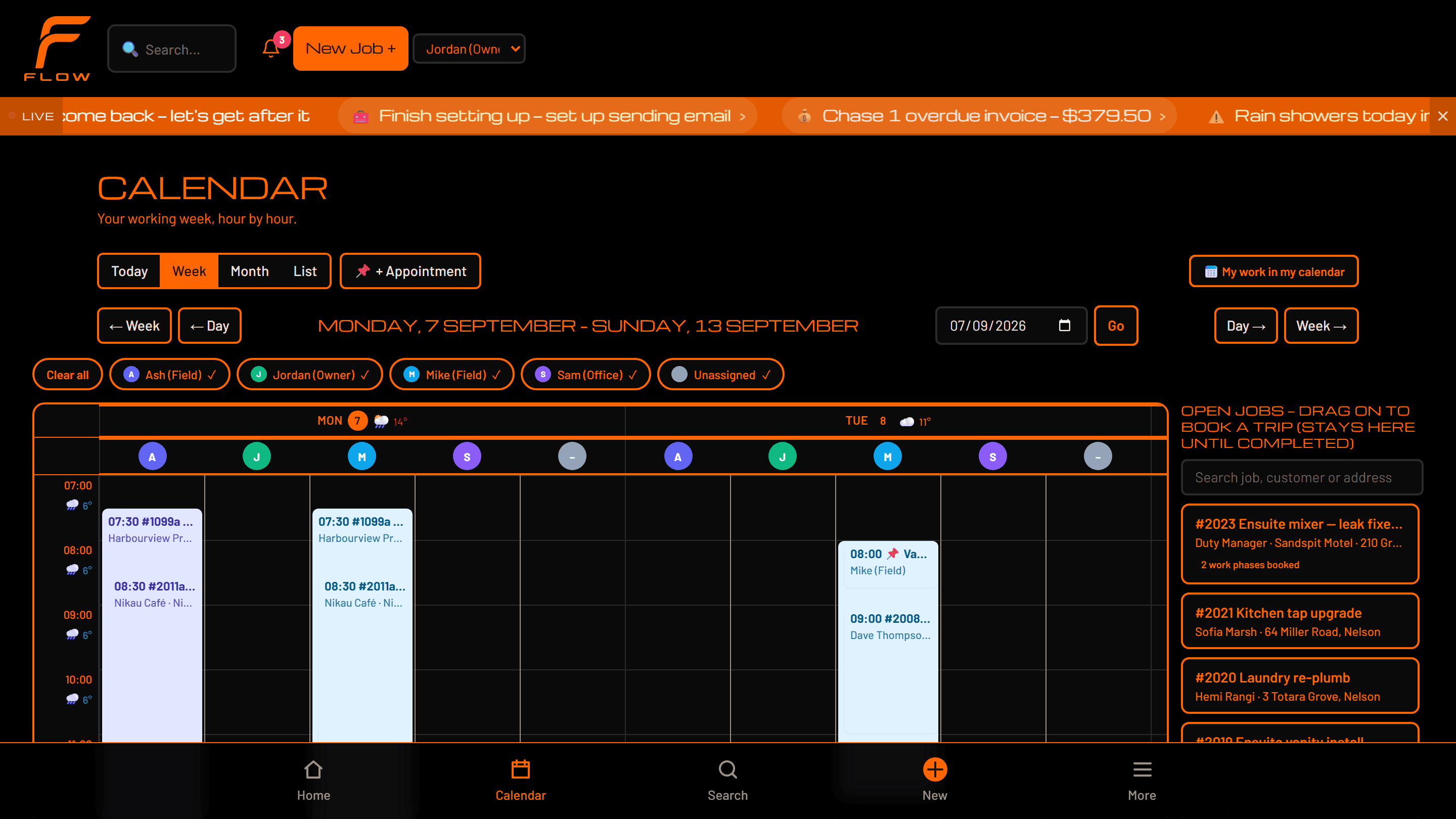
- 08TeamWho is on it, and what they need to know
- 09WorkThe job, on a phone, on siteMotionQuick capture by voice, note or photo, against the job you are already on.
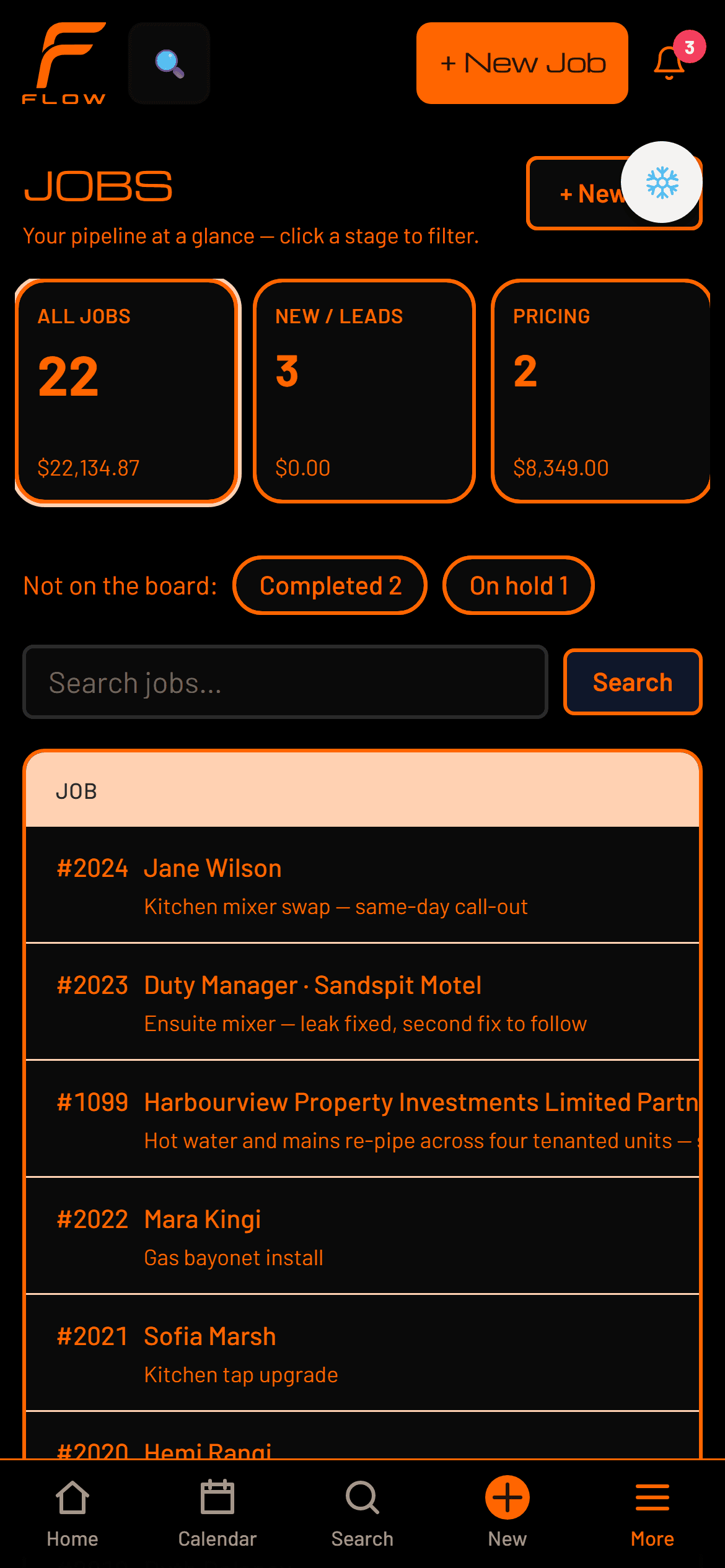
- 10EvidencePhotos, files, checklists and sign-offMotionSurfaces what is still missing before the job can move forward.
- 11CompletionNothing missing before it closes
- 12InvoiceBuilt from real time and materialsMotionUses the completed job's own context to prepare the invoice and the follow-up after it.
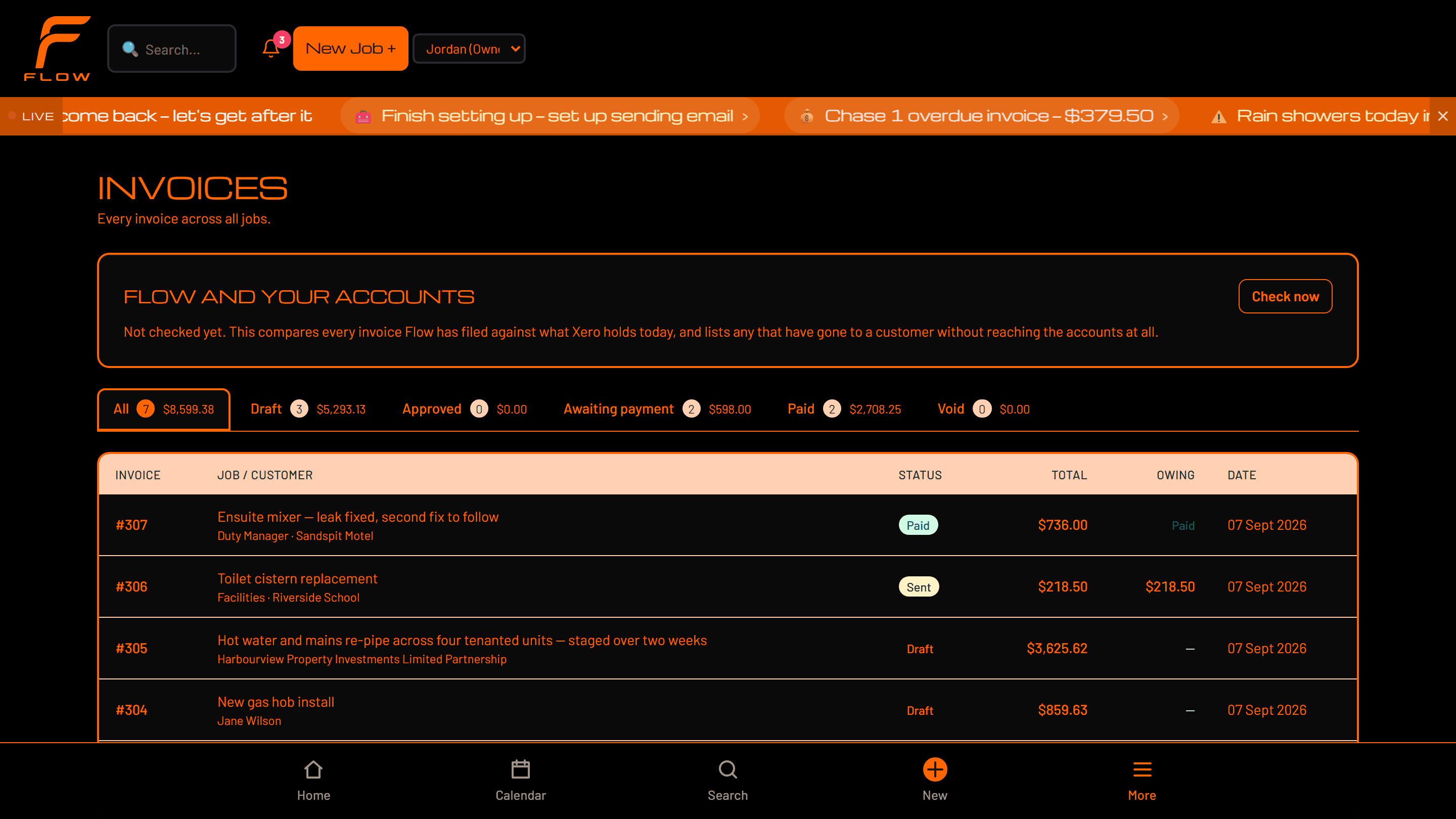
- 13Follow-upPaid, and what Flow noticed along the way
What Motion does at each stage
Not a chatbot on the side. Motion works on the stage you are already standing in — and everything that reaches a customer still stops for you.
Enquiry
What you are doingA new job or customer request comes in.
What Motion doesCaptures the information, structures it against the right customer, and prepares the next step.
What changesLess lost, faster response, and less admin before the job has even started.
Site visit
What you are doingSomeone is on site working out what the job actually is.
What Motion doesVoice capture and transcription, photos read for what is in them, and the job's own context held around it.
What changesThe office gets usable information without anyone reconstructing the visit that evening.
Quote
What you are doingThe job needs pricing and a scope.
What Motion doesUses the approved job and site information to prepare the quote content for review.
What changesFaster to prepare, and fewer details missed between the visit and the price.
Scheduling
What you are doingThe job needs the right time and the right people.
What Motion doesWatches workflow status and operating context, and prepares the next actions around it.
What changesLess manual coordination, and fewer jobs sitting unnoticed.
Site work
What you are doingThe team carries out the work.
What Motion doesQuick capture by voice, note or photo, against the job you are already on.
What changesLess stopping work to do admin about the work.
Evidence and completion
What you are doingThe job needs proof, required information and sign-off.
What Motion doesSurfaces what is still missing before the job is allowed to move forward.
What changesCleaner handover, fewer callbacks, and less chasing afterwards.
Invoice and follow-up
What you are doingFinished work has to become payment.
What Motion doesUses the completed job's own context to prepare the invoice and the follow-up after it.
What changesLess work between finishing the job and being paid for it.
What is in it
Grouped by what you are trying to do, because a flat feature list tells an owner nothing about their own week.
Run the work
The operating workflow itself
- Jobs
- Customers
- Quotes
- Approvals
- Scheduling
- Team
- Site visits
- Tasks
- Workflow stages
Capture the job
Everything that comes off site
- Voice capture
- Notes
- Photos
- Documents
- Evidence
- Checklists
- Sign-off
Run the office
What happens around the work
- Invoicing
- Timesheets
- Materials and supplier information
- Communications
- Follow-up
- Operational records
Motion
The intelligence through all of it
- Voice actions
- AI-assisted quote preparation
- Photo and document intelligence
- Information extraction
- Drafting
- Workflow guidance
- Missing-information detection
- Prepared actions
- Approval-controlled actions
Stay in control
Who can do what, and what needs you
- Permissions
- Approvals
- Audit history
- Role-based access
- Human review
- Controlled customer and supplier actions
More than somewhere to put the admin
Ordinary job management
- You enter the information.
- You move it between screens.
- You remember what needs doing.
- You chase the missing admin.
Flow Trades
- The workflow carries the information forward.
- Motion watches the operating context.
- The admin is prepared around the work.
- You approve what matters.
The intelligence is shared. The permissions are specific.
Different trade businesses. Same operating system.
The workflow stays consistent and so do the words. What varies is the work in front of you — the evidence a job needs, the records it has to produce, the rules that apply. None of that changes the product, the workflow, or what anything is called.
So there is no plumbing Flow and no roofing Flow to choose between. There is Flow Trades, and your operation runs on it.
The person doing the work shouldn’t have to become the office
Two different jobs, one set of information. What is captured on site is what the office works from — nobody types it up twice.
In the field
- Talk to Flow
- Capture site notes
- Add photos
- Update the job
- Complete what the job requires
In the office
- Structured job information
- Prepared quotes and actions to review
- Schedule the work
- Manage customers
- Invoice
- Follow up
Voice is built for the field, where your hands are full. In the office you type — nobody dictates to a computer in a room with other people in it.
You decide how far it goes
Motion watches, prepares, and acts only where you have allowed it. Permission is granted per action, it starts at ask-me-first, and it moves when you move it.
Watch
Notices what is slipping, overdue, unbooked or missing. Never contacts anyone.
Prepare
Drafts the message, the quote, the reminder — attached to the right job, waiting with your name on it.
Act where permitted
Carries out the actions you have specifically allowed, inside Flow, and writes down what it did.
You
What gets approved, what may happen on its own, and what stays manual.
Nothing reaches a customer without this
See how Flow would run your business
Bring us the way work currently moves through your business. We’ll show you how that same workflow runs inside Flow — using one of your own jobs, not a prepared example.
There is no self-serve signup. Your environment is set up with you, by a person, which is why getting started begins with a conversation rather than a form and a credit card.